HP OmniBook Ultra
MSRP $1,319.00

“Hands down one of the best looking laptops!”
Pros
- Sharp 120Hz OLED screen
- Reliable battery life
- Daily performance
- Sleek and light build
- Fast SSD
Cons
- Weak graphics performance
- Non-upgradable memory
- No fingerprint reader
- Limited display hinge tilt
- Weird backlight legibility on keyboard
Quick Take
The HP OmniBook Ultra gets a lot right. It is slim, lightweight, and genuinely premium, while the 3K OLED display is easily one of its biggest strengths. The Core Ultra 7 356H handles everyday work, multitasking, and AI workloads without breaking a sweat, and the PCIe Gen5 SSD is seriously quick.
The integrated graphics, however, are clearly the weak spot of this particular configuration. It is not the Panther Lake powerhouse the higher-end X7 and X9 variants can be. Still, for someone looking for a stylish, portable Windows laptop with a gorgeous screen and strong everyday performance, there is plenty to like here.
HP OmniBook Ultra Specifications
| Operating System | Windows 11 Home |
| Processor | Intel Core Ultra 7 356H (16 cores, 16 threads, Up to 4.7GHz Turbo Boost 18MB L3 cache) |
| NPU | Intel AI Boost NPU, up to 50 TOPS |
| Graphics | Intel Graphics, integrated |
| Memory | 16GB LPDDR5X-8533 MT/s, onboard |
| Storage | 1TB PCIe Gen5 NVMe M.2 SSD |
| Display | 14-inch OLED, 3K (2880 × 1800), 16:10 Up to 120Hz refresh rate, 0.2ms response time, 500 nits SDR, 1100 nits HDR, 100% DCI-P3, Multitouch, UWVA Edge-to-edge glass, Micro-edge, Corning Gorilla Glass 3, Low Blue Light |
| Screen-to-Body Ratio | 91% |
| Build Material | Forged aluminium |
| Color | Silk Sand |
| Camera | 5MP IR camera, HDR auto switch, temporal noise reduction, integrated dual-array digital microphones |
| Wireless Connectivity | Intel Wi-Fi 7 BE211 (2×2)Bluetooth 6.0 |
| Ports | 3× Thunderbolt 4 USB Type-C, 40Gbps USB Power Delivery 3.1 DisplayPort 2.1 1× headphone/microphone combo jack |
| Audio | Quad speakers, HP Audio Boost, Poly Studio, DTS:X Ultra |
| Keyboard | Full-size, backlit keyboard |
| Touchpad | Haptic touchpad |
| Sensors | Accelerometer, gyroscope, IR thermal sensor |
| Battery | 4-cell, 70Wh Li-ion polymer |
| Charging | 65W USB-C GaN power adapter. Approximately 50% charge in 45 minutes |
| Claimed Battery Life | Up to 20 hours 45 minutes Up to 30 hours 15 minutes of video playback |
| Dimensions (W × D × H) | 31.11 × 21.56 × 1.07 cm |
| Weight | 1.27kg |
| Other Features | Intel Evo laptop, Copilot in Windows with Copilot key, Camera privacy shutter, Mic mute key, Firmware TPM |
| Pre-installed Software | McAfee Online Protection 30-day trial Microsoft 365 1-month trial |
There is something slightly amusing about the current laptop market. We keep asking manufacturers to make laptops thinner, lighter, faster, cooler, and longer-lasting, then act surprised when they somehow squeeze all of that into a chassis that looks like it should hold a calculator and a couple of pencils. The HP OmniBook Ultra is very much one of those laptops.
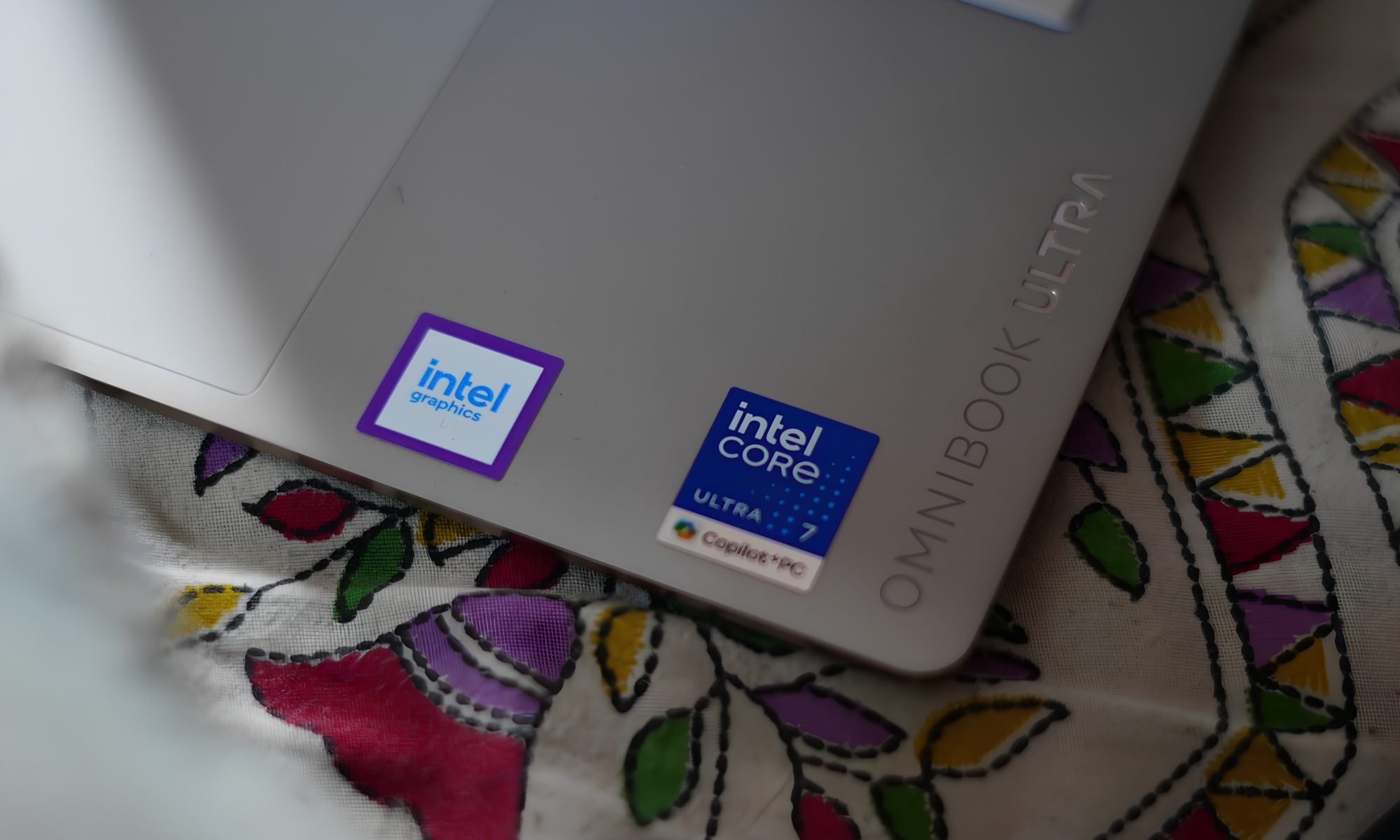
At first glance, it looks like a premium 14-inch machine designed primarily to sit inside a conference room and quietly make its owner look productive. But spend some time with it and the OmniBook Ultra starts revealing a more ambitious personality. It has an Intel Core Ultra 7 356H processor, 16GB of LPDDR5x memory, a 1TB PCIe Gen5 SSD, and integrated Intel graphics.
It also packs a 14-inch 3K OLED touchscreen with a 120Hz refresh rate, a 70Wh battery, Wi-Fi 7, and three Thunderbolt 4 ports. In other words, HP has taken the idea of a thin-and-light laptop and decided that “thin and light” shouldn’t automatically mean “please don’t ask me to do anything difficult.”
I have been using this particular configuration, and there is a lot to like here. But this isn’t a laptop without quirks. Some of them are small enough to laugh about. Others are the kind that make you stop and ask HP, “Why?” So, after spending time with it, here’s how the OmniBook Ultra feels as an actual laptop rather than a specification sheet.
HP OmniBook Ultra design
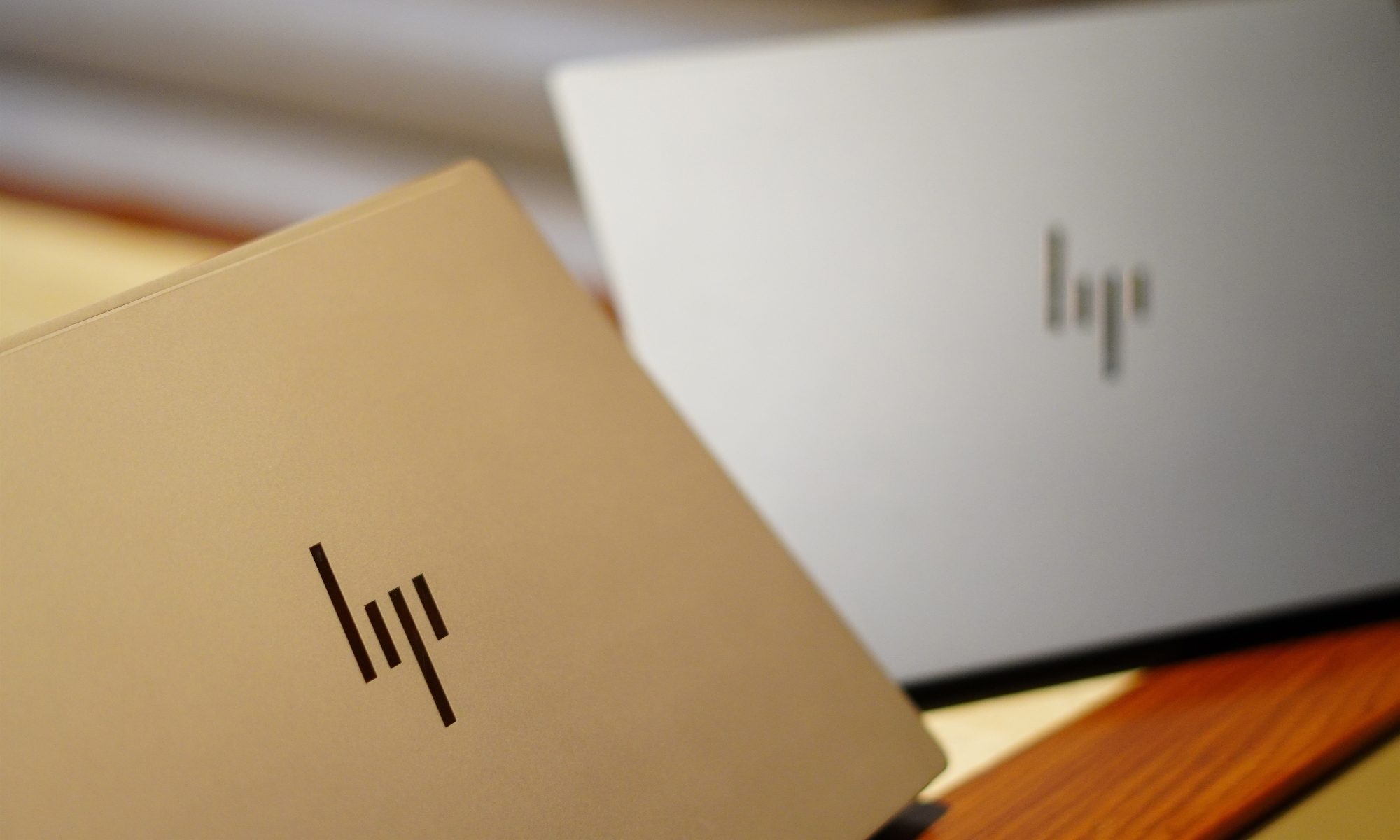
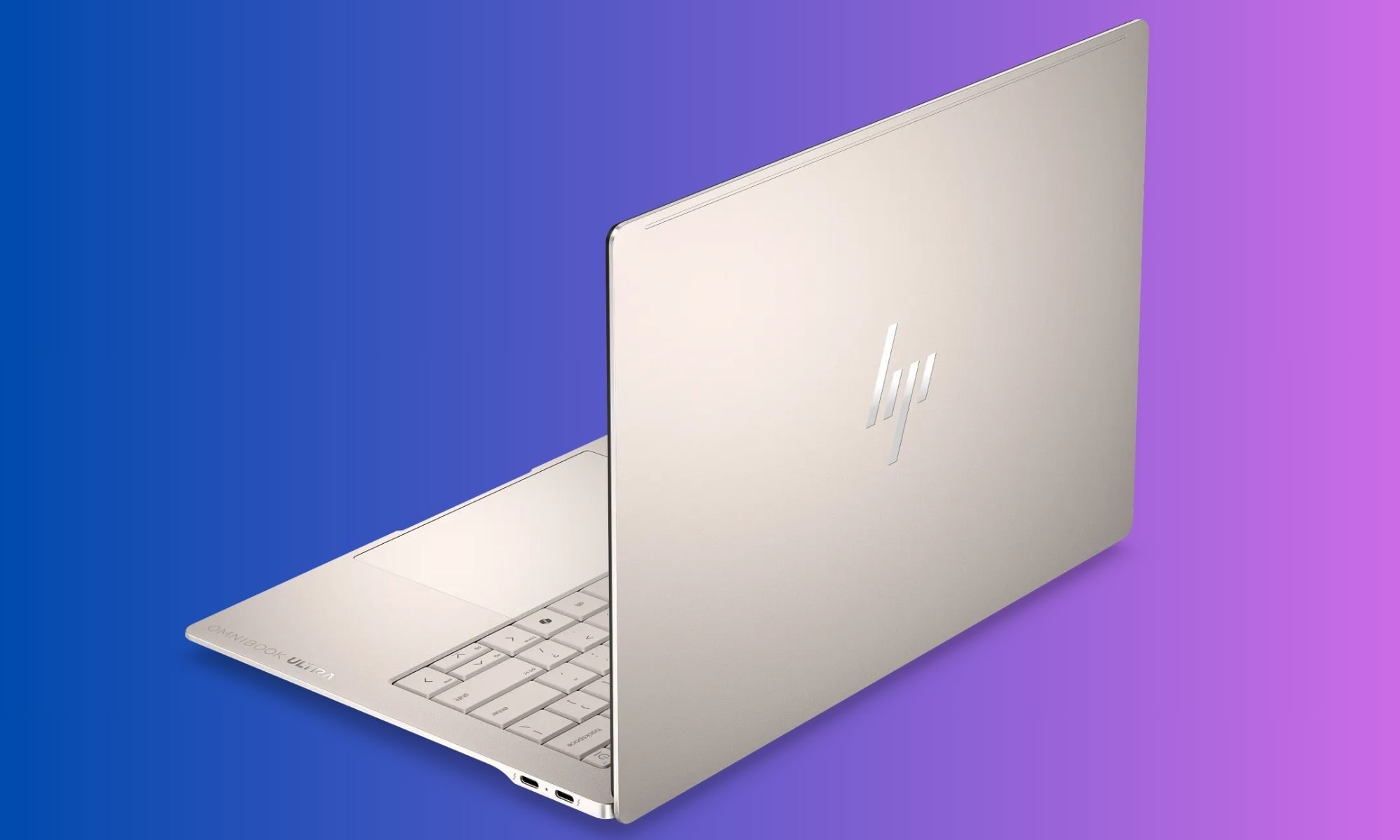
The first thing that struck me about the OmniBook Ultra was how little it feels like a conventional 14-inch laptop. HP has gone for a wedge-shaped profile, with the machine gradually becoming thinner towards the front. The entire body is made from aluminium, and my review unit comes in the Silk Sand finish.
It is a subtle colour, but I like it because it doesn’t scream for attention. Instead, it has that understated premium look that works equally well on a desk, in a coffee shop, or sitting open during a meeting where someone is inevitably going to ask, “Is that a new MacBook?”
No, it isn’t. And that is probably the point.
The design has a few similarities with the broader premium laptop language we’ve become accustomed to, but HP has given the OmniBook Ultra its own identity. The edges are sharp and polished, while the main surfaces have a sandblasted matte treatment. According to HP, the chassis is made from forged aluminium, and the company has designed it around durability as well as portability.
It certainly feels sturdy. There isn’t the kind of obvious flex that makes you nervous about picking up a laptop by one corner. The lid has enough resistance to feel deliberate without requiring both hands and a small prayer to open it. The dimensions are 31.11 x 21.56 x 1.07cm, and the machine weighs just 1.27kg.
The sort of weight that makes you forget you’re carrying a laptop at all.
And this is where the OmniBook Ultra gets its first big win. I could comfortably move around with it without feeling like I was carrying a workstation disguised as an ultrabook. The 14-inch form factor is large enough to give me proper screen real estate, while the weight keeps it firmly in the “throw it into the bag and forget about it” category.
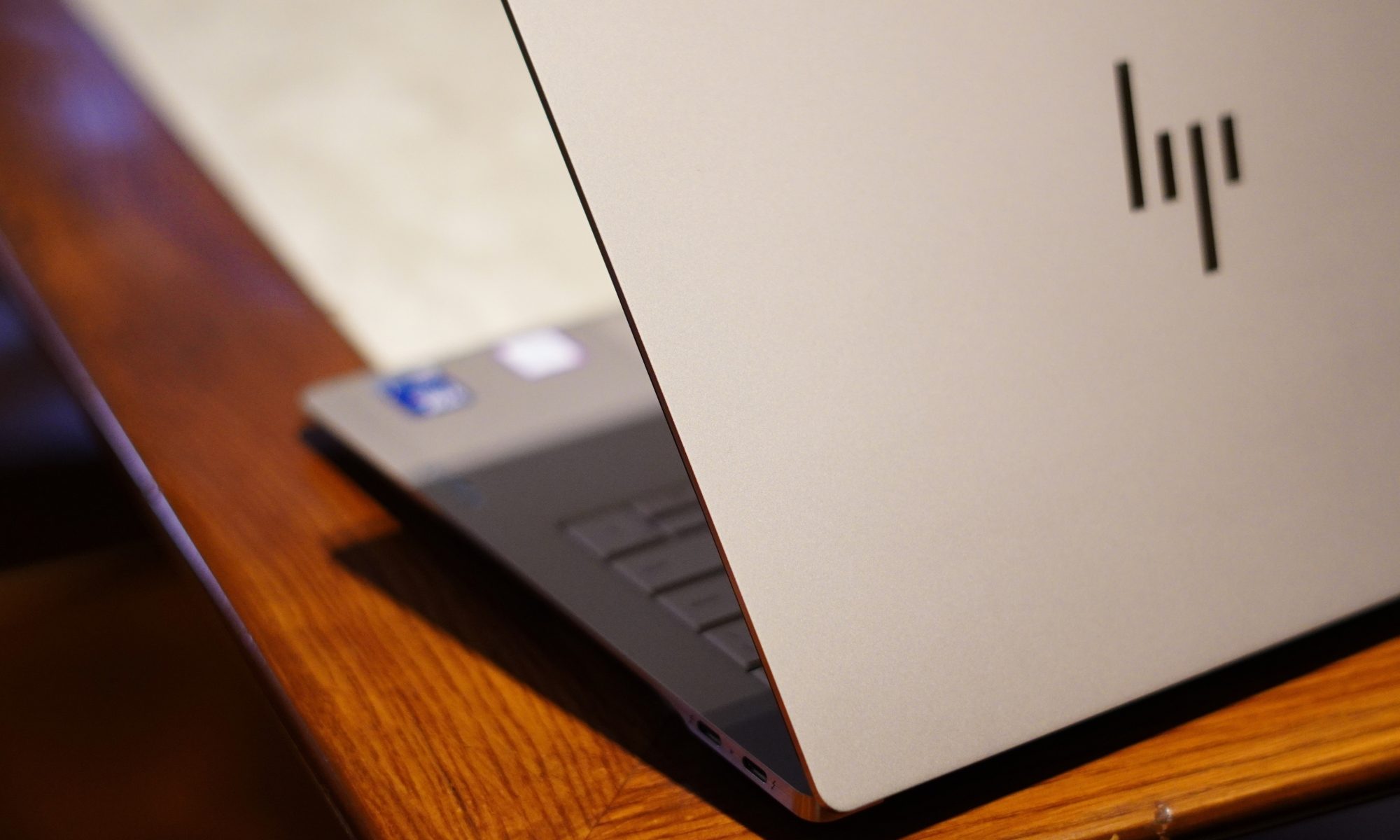
The Silk Sand finish is also surprisingly practical. It gives the laptop a premium appearance without relying on an overly glossy surface. There is still some visible evidence of fingerprints and skin oils if you look closely, but this isn’t the kind of laptop that turns into a crime-scene investigation after 20 minutes of use.
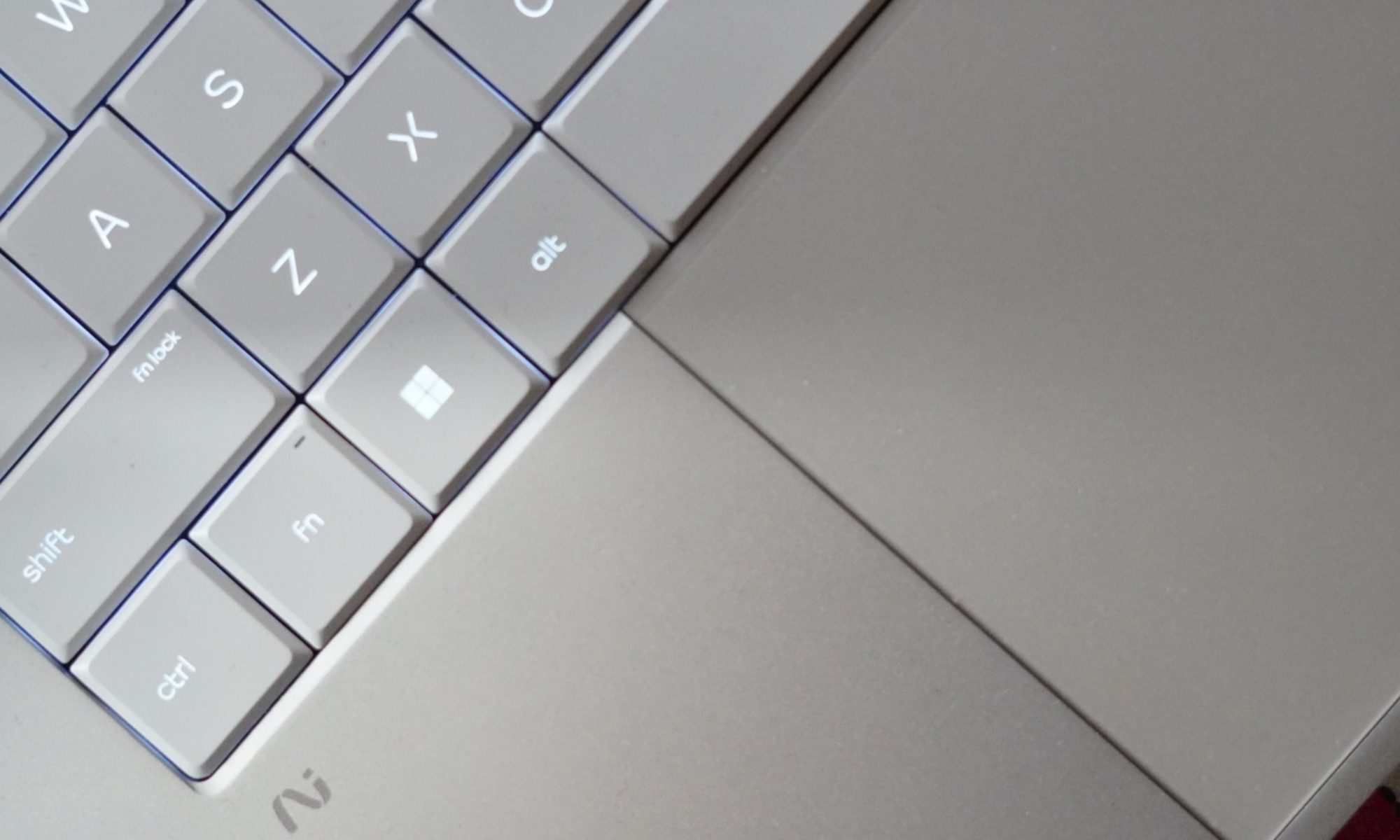
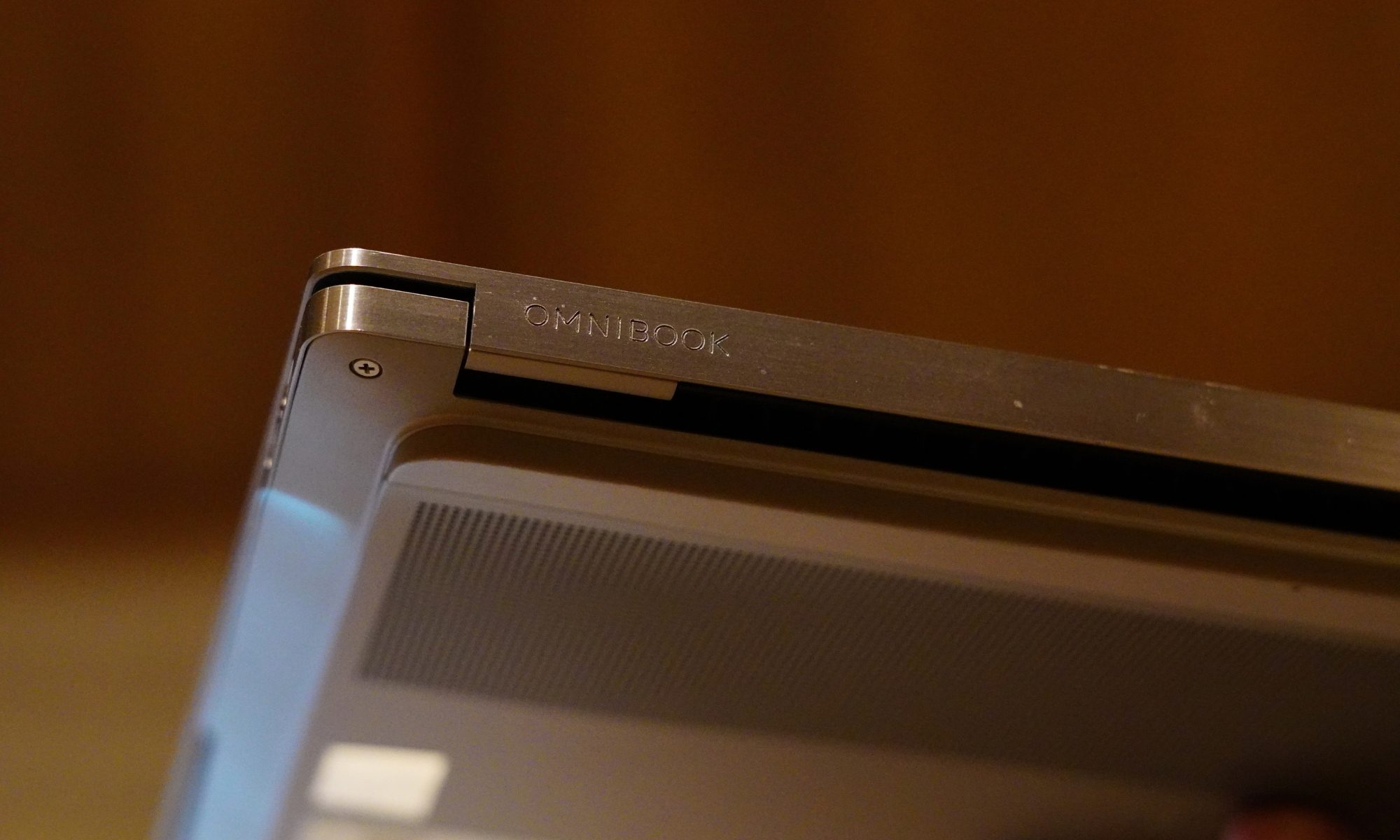
The keyboard deck follows the same colour scheme, and the lighter appearance of the keys gives the interior a nice contrast. The overall design is clean. HP hasn’t gone overboard with branding either. The exterior HP logo is relatively understated, while the OmniBook Ultra branding on the wrist rest adds a little bit of visual flair without turning the laptop into a billboard.
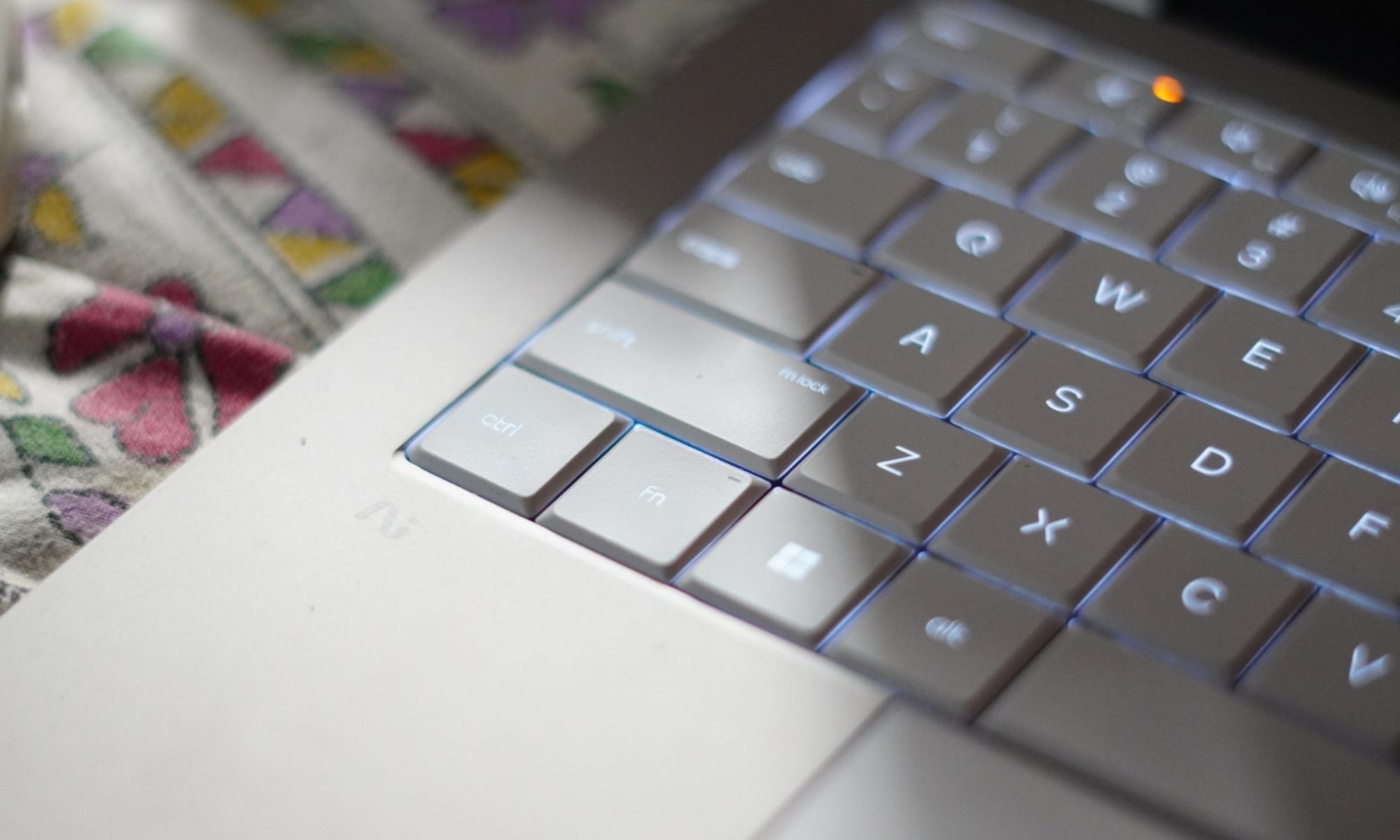
Then there is the keyboard. The OmniBook Ultra gets a full-sized backlit keyboard, and the keys themselves have a good amount of travel. I actually enjoyed typing on it. The feedback is firm enough that long typing sessions don’t feel like you’re tapping on a touchscreen.
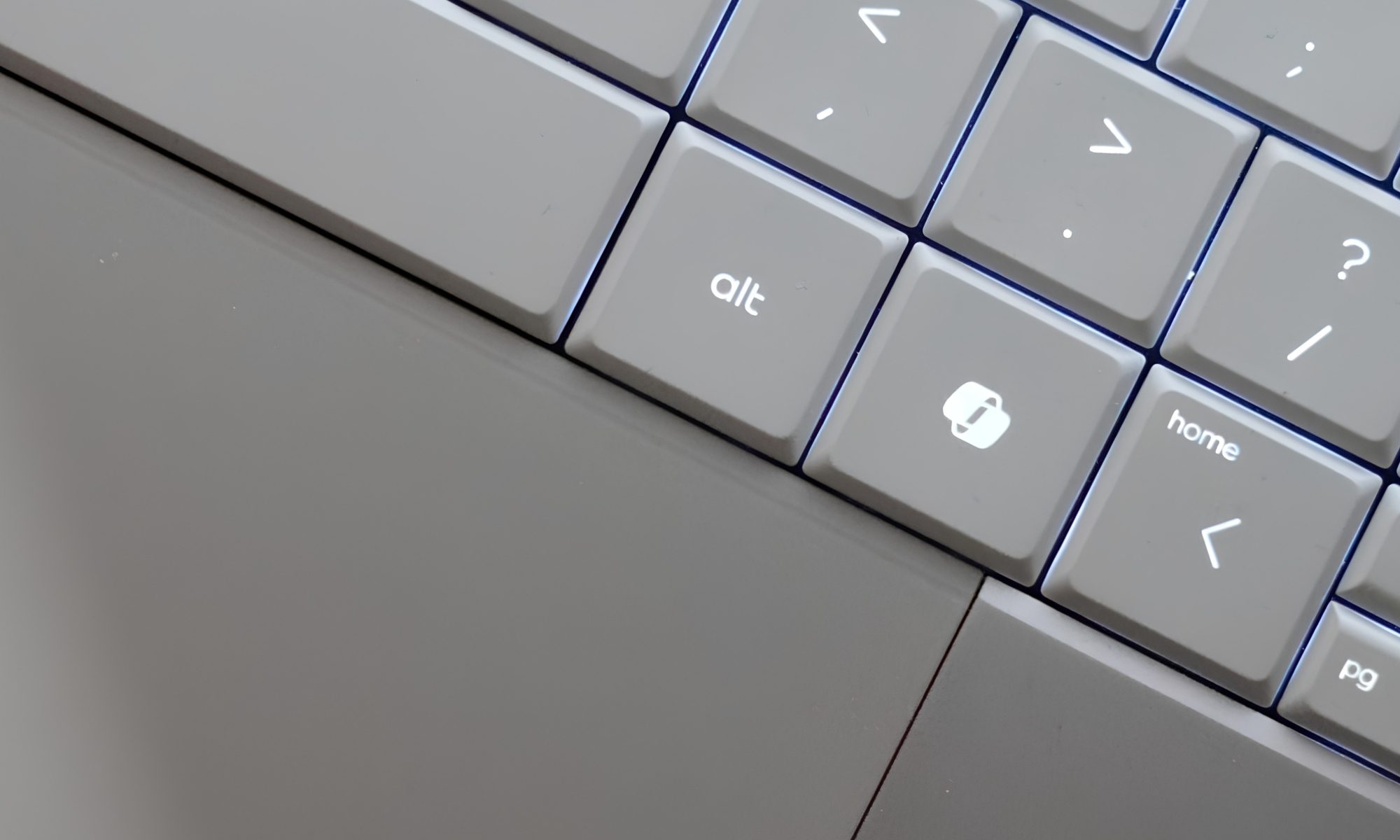
There is one slightly strange thing, though: the backlighting. The keys on my Silk Sand model are relatively light, and the backlight can sometimes make the lettering harder to distinguish rather than easier. It is one of those situations where the laptop is technically helping you see the keyboard while simultaneously making you wonder where the letters went.
HP gives you two backlight levels, but there isn’t an automatic mode. So I found myself manually switching it depending on the lighting around me. It’s not a deal-breaker. But it is an odd design decision on an otherwise carefully designed laptop.
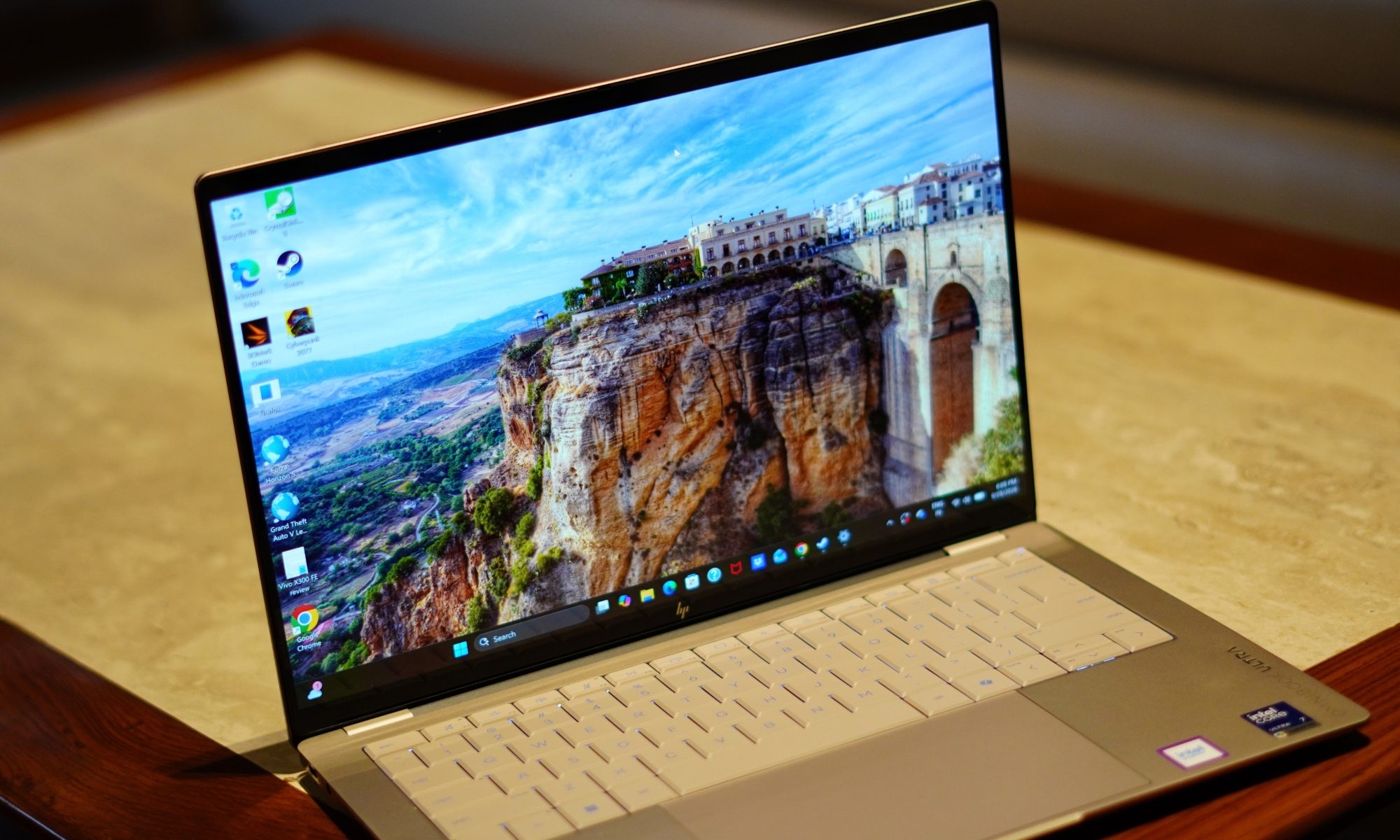
The touchpad is much easier to praise. It’s a large haptic touchpad, and the surface feels smooth and responsive. Gestures work well, and cursor movement feels precise. HP hasn’t tried to reinvent the touchpad, which is probably the right decision. The laptop also has a Copilot key, a microphone mute key, and the usual collection of function controls. HP has included a camera privacy shutter too, which I appreciate.
The product specifications confirm the presence of the privacy shutter, microphone mute key, and firmware TPM support. Security is handled through the 5MP IR camera, which supports Windows Hello. That means facial recognition can be used for sign-in, and in practice it’s much more convenient than typing a PIN every time I open the laptop.
I do wish HP had also included a fingerprint reader. At this price and in this class, having two biometric options would have made the machine feel more complete.
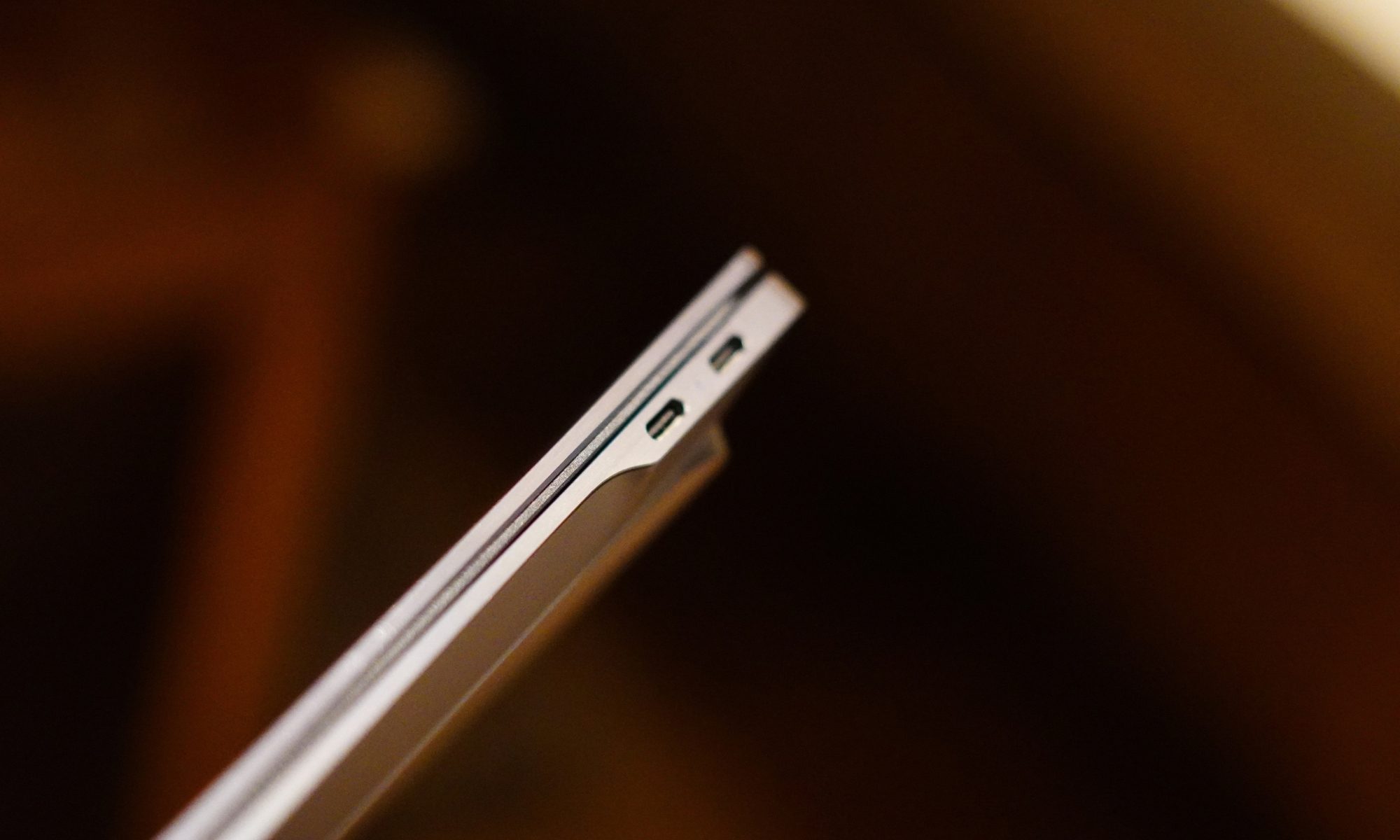
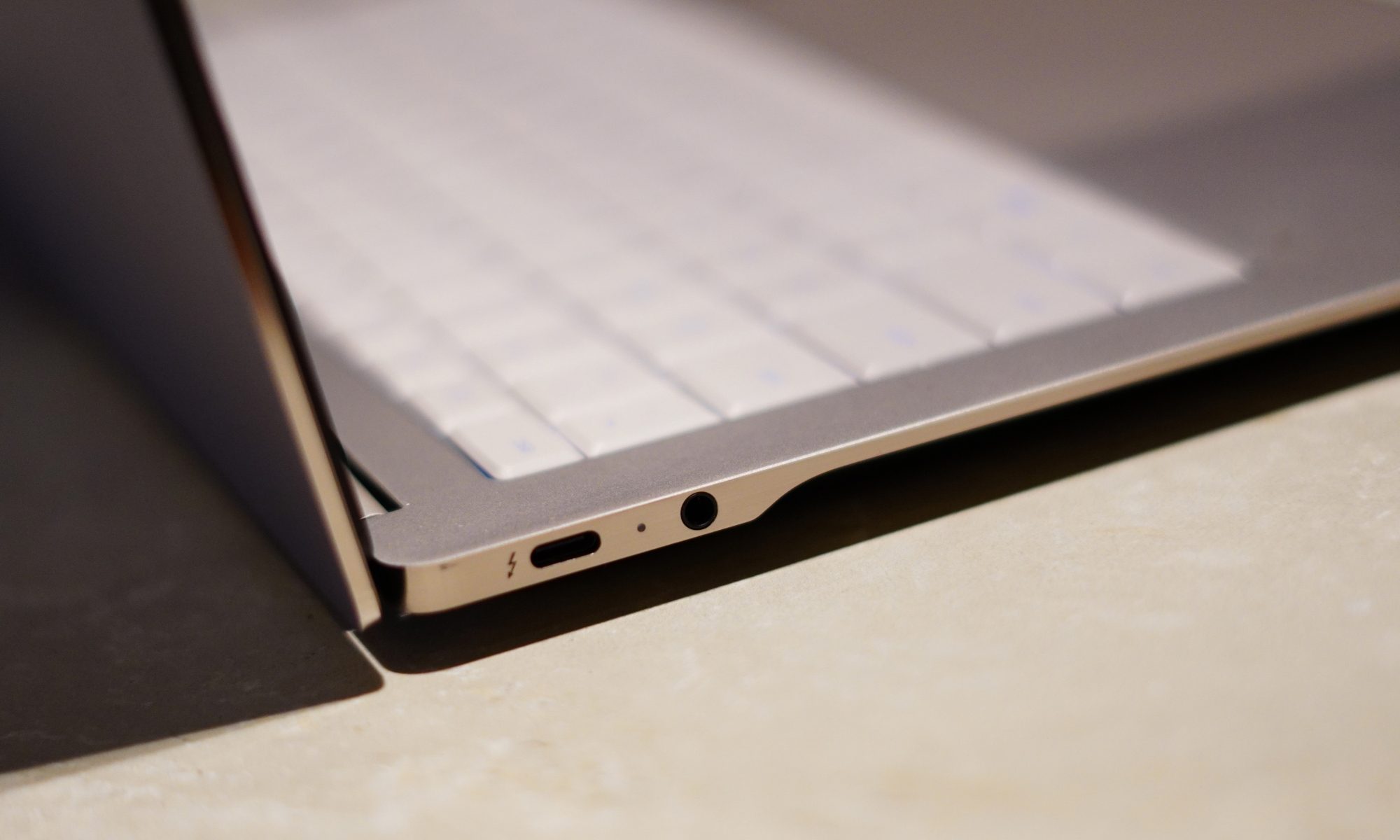
Port selection is another area where HP has made some sensible choices. You get three Thunderbolt 4/USB-C ports, each supporting up to 40Gbps signalling, along with DisplayPort 2.1 and USB Power Delivery. There’s also a 3.5mm headphone/microphone combo jack.
I particularly like that USB-C isn’t confined to one side. It makes charging at a desk considerably less annoying because you aren’t forced to arrange your entire workspace around one tiny port.
There is no giant selection of traditional ports here, but I don’t really miss them on a machine this thin. If you’re someone who regularly connects a bunch of older USB-A devices, HDMI cables, and SD cards directly to your laptop, you’ll probably need a dongle or dock.
For everyone else, three high-speed USB-C ports give you plenty of flexibility. Wireless connectivity is properly modern too, with Wi-Fi 7 and Bluetooth 6.0. And then there are the speakers. HP calls it a quad-speaker setup, with HP Audio Boost, Poly Studio and DTS:X Ultra. The result is genuinely good audio for a laptop this thin.
Voices are clear, music has enough body to avoid sounding like it’s coming from inside a tin can, and movies are surprisingly enjoyable. This is not going to replace a dedicated speaker system, obviously, but I didn’t feel an immediate need to connect headphones every time I wanted to watch something.
The design, then, gets most of the important things right. It’s thin, light, sturdy, and understated, while still managing to pack in the hardware I actually want. The keyboard backlighting is my biggest complaint here. Everything else feels remarkably well thought out.
Design score: 9/10
HP OmniBook Ultra display
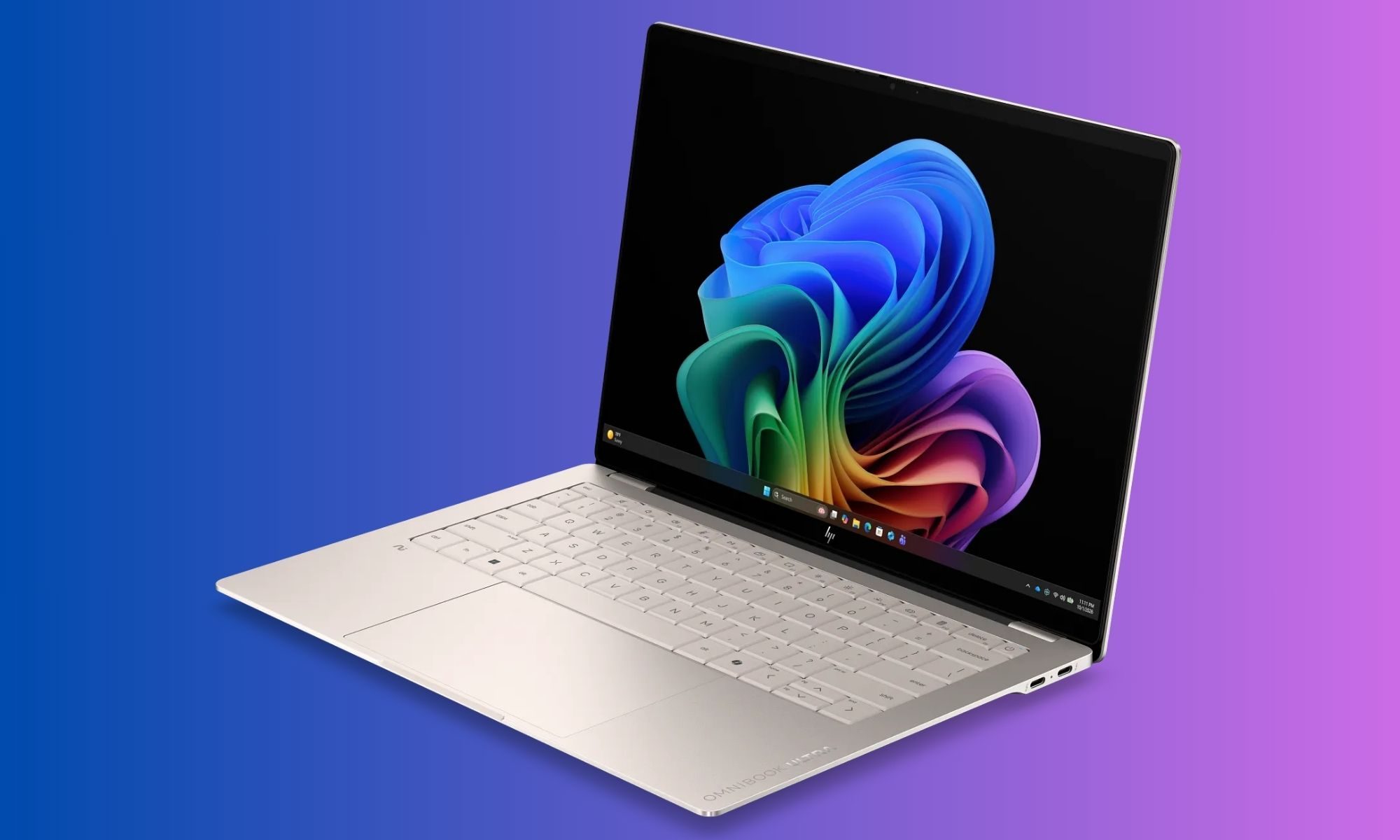
If the design makes a good first impression, the display is what makes me want to keep the laptop open. The OmniBook Ultra comes with a 14-inch 3K OLED touchscreen. The resolution is 2880 x 1800, the panel uses a 16:10 aspect ratio, and it supports refresh rates up to 120Hz.
HP also lists a 0.2ms response time, 100 percent DCI-P3 coverage, 500 nits of SDR brightness, and up to 1100 nits in HDR. There’s Gorilla Glass 3 protection and low-blue-light support as well. That’s a lot of numbers.
Thankfully, the experience doesn’t feel like a collection of numbers.
It looks fantastic. OLED does the heavy lifting here, particularly when you’re watching movies or looking at images with a lot of contrast. Blacks are properly black, colours are vibrant, and the overall image has that punchy quality that makes an LCD panel look slightly sleepy by comparison.
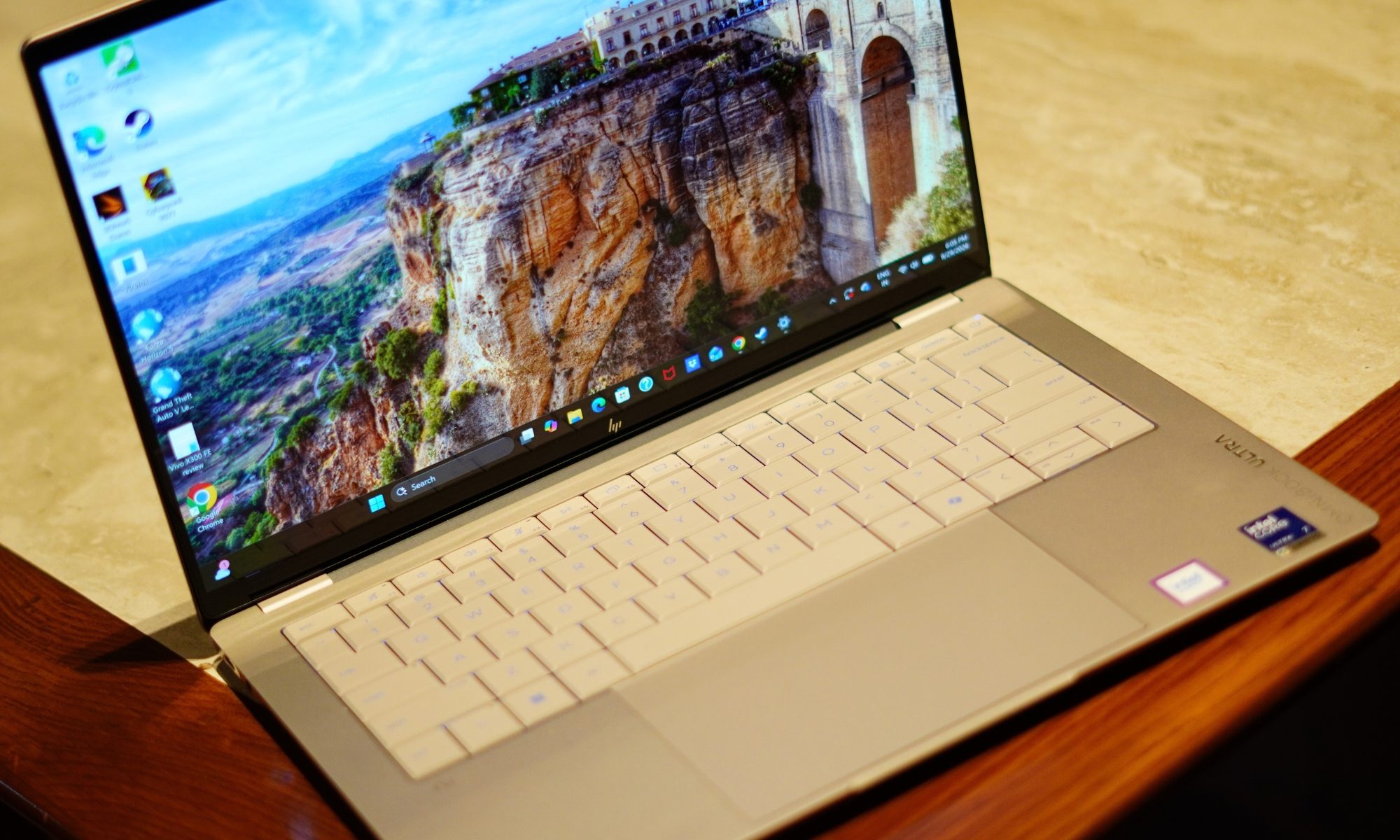
The 3K resolution also makes text look exceptionally sharp. That’s important to me because I spend a ridiculous amount of time looking at browser windows, documents, and editing software. A good display isn’t just about watching Netflix in glorious HDR. It’s about whether your eyes hate you after several hours of work.
The 16:10 aspect ratio helps too. Compared with a traditional 16:9 panel, there’s a little more vertical space, which means I can see more of a webpage or document without constantly scrolling. It doesn’t sound revolutionary, but once you get used to a taller display, going back to a shorter one feels strangely restrictive.
The 120Hz refresh rate is another feature that becomes difficult to give up once you’ve experienced it. Scrolling through websites feels smoother. Animations feel more fluid. Even moving windows around the desktop has a more immediate quality to it.
And because this is an OLED panel, the fast response time makes everything feel even snappier. The touchscreen is useful too. I don’t use touch constantly on a laptop, but when Windows throws up a control, or I need to quickly interact with something, having the option is convenient.
Brightness is another strong point. At 500 nits for SDR, the screen is bright enough for most indoor environments. HDR can push it much higher, up to 1100 nits according to HP.
The glossy surface does mean reflections can appear under strong lighting, but I found the brightness generally sufficient to overcome them.
The bezels are also impressively slim. HP lists a 91 percent screen-to-body ratio, which helps the laptop maintain a modern appearance without making the chassis unnecessarily large. There’s one physical limitation worth mentioning, though. The display hinge doesn’t open as far back as I would like.
It’s not something I noticed immediately, but once you start using the laptop in different positions, especially on a low table or while travelling, you realise there are situations where you want a little more flexibility.
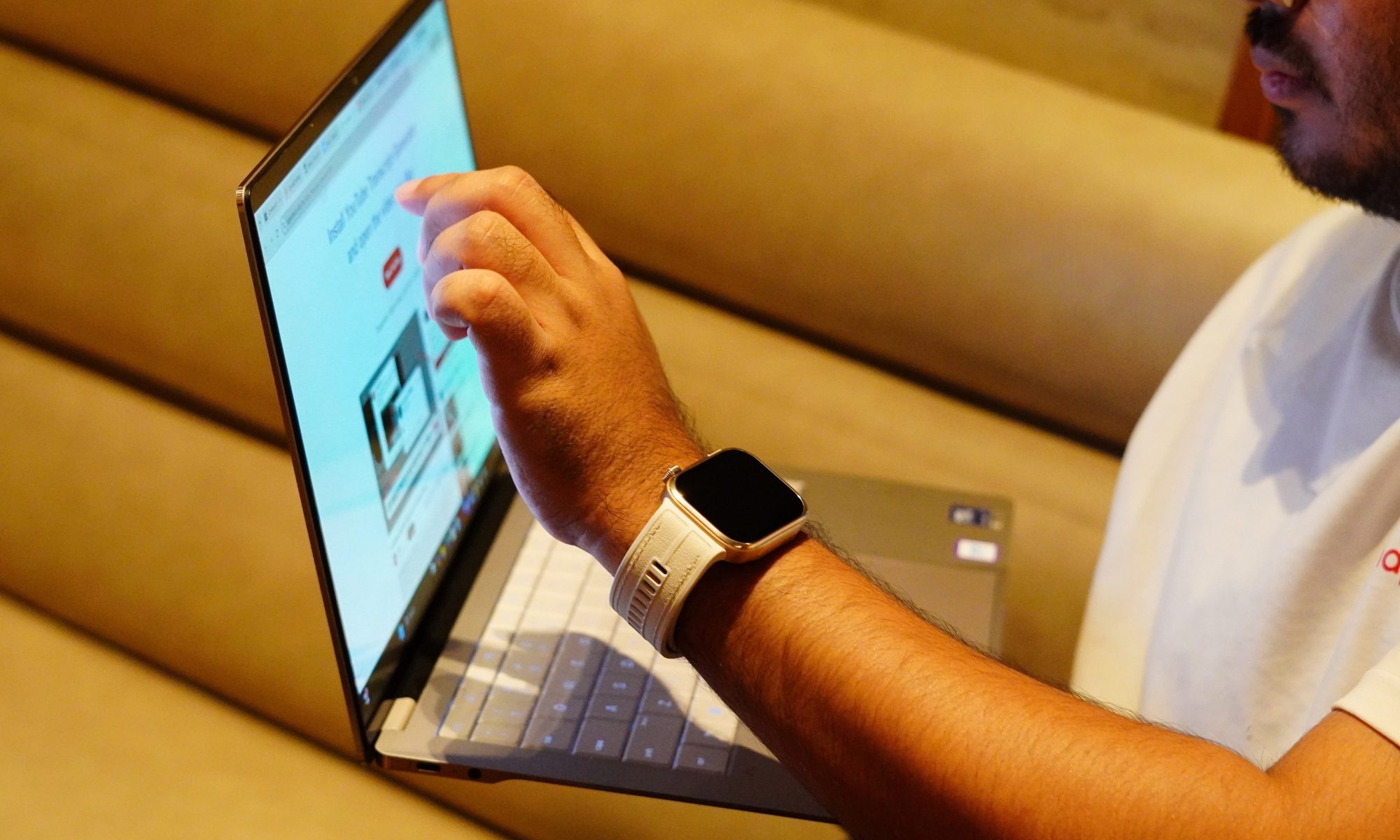
Still, that’s a relatively small complaint about a panel that is otherwise one of the best parts of this laptop. The display also makes the OmniBook Ultra feel like more than a productivity machine. I can comfortably use it for writing during the day and then switch to movies or games in the evening without feeling like I’m compromising on the visual experience. That said, I will say again:
I find touchscreens on laptops that don’t open all the way back amusing.
It’s a cute thing, but I won’t use it any time soon. That’s an important distinction. A lot of thin-and-light laptops have perfectly adequate displays. The OmniBook Ultra has a display that I actually look forward to using.
Display score: 9/10
HP OmniBook Ultra performance
This is where things get interesting. The OmniBook Ultra configuration I’m testing uses Intel’s Core Ultra 7 356H, paired with 16GB of LPDDR5x memory running at up to 8533MT/s and a 1TB PCIe Gen5 NVMe SSD. The processor has 16 cores and 16 threads, an 18MB L3 cache, and a maximum Turbo frequency of 4.7GHz. It also includes Intel AI Boost with 50 NPU TOPS.
That combination tells me exactly what HP is trying to do with this machine. It’s not simply chasing the thinnest possible laptop. It’s trying to make a thin laptop that can actually keep up.
And in everyday use, that philosophy works. I use laptops for a mixture of browser-heavy work, writing, image editing, video consumption, communications, and the occasional situation where I suddenly decide that I have enough free time to play a game. I am not a huge gamer, but I do play a bit of Cyberpunk or GTA 5 during my free time.
The OmniBook Ultra handles the first five without breaking a sweat. With multiple browser tabs open, documents running, background applications active, and various bits of Windows doing their usual mysterious Windows things, the laptop remains responsive.
Application launches are quick, windows snap into place without hesitation, and switching between workloads doesn’t result in the sort of obvious slowdown you sometimes get from thin laptops running less capable hardware. But games are a different territory. Yes, it plays those Microsoft Store games pretty well, but I tried some heavy titles like Forza and Cyberpunk, and it fell flat. It couldn’t manage a stable frame rate at even the lowest resolution settings with almost everything turned off. And maybe what’s coming next will help you understand why.
The 1TB Gen5 SSD helps keep the system feeling fast. But the more interesting part was the graphics. This was integrated graphics, so I had approached gaming expectations with a certain level of realism. I’m not expecting it to transform into a gaming laptop simply because Intel has given the graphics architecture a fancy name. Intel has been giving pretty names to its iGPUs but the most part is – realistically, they are not absolutely equipped to play any
But the performance is better than the “integrated graphics equals Solitaire” stereotype would suggest. The Core Ultra 7 356H includes Intel Graphics – positioned slightly differently – it has enough graphics capability to make casual gaming and lighter creative work viable, but it isn’t pretending to be a workstation with a dedicated GPU hiding under the keyboard.
And honestly, that’s fine. For my regular workload, CPU performance matters much more than having an oversized GPU. The laptop also stays impressively composed considering how much hardware HP has packed into such a thin chassis.
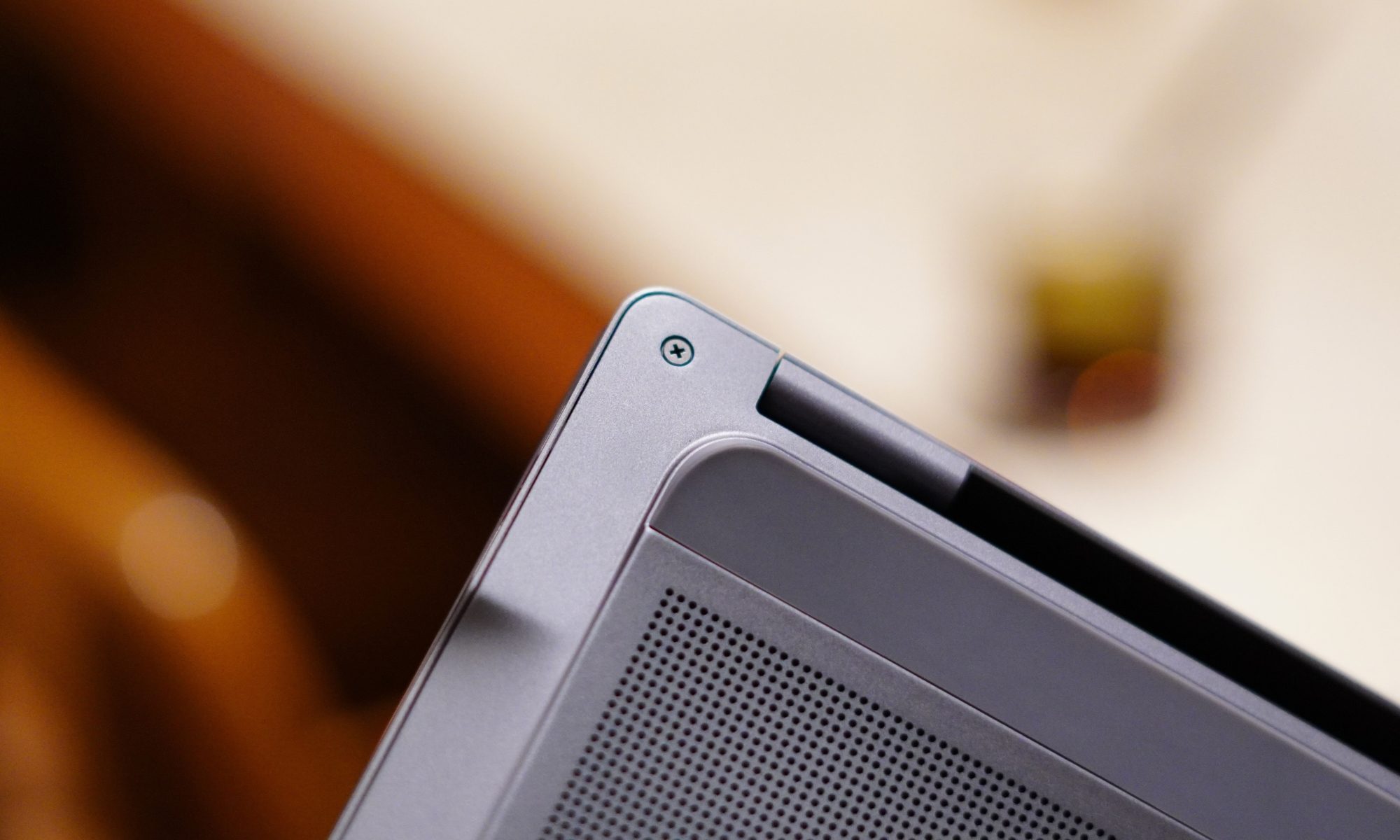
HP uses active cooling and a compact cooling design to keep temperatures under control. The general approach is familiar: air enters through the underside, and exhaust is pushed out near the rear hinge area.
The important part is that the fans aren’t constantly screaming. During normal work, I rarely notice them.
Push the laptop harder, and the fans become audible, as they should. That’s the trade-off for having a relatively powerful processor inside a thin body. I’d much rather hear a fan doing its job than have a laptop quietly cook itself on my desk.
The keyboard deck also remains reasonably comfortable during normal workloads. There is some flex when pressing hard, particularly around the centre of the keyboard, but I don’t consider it a serious issue. It becomes noticeable if you’re intentionally trying to make the keyboard flex. During normal typing, it doesn’t get in the way.
AI performance is another part of the OmniBook Ultra’s story. The Core Ultra 7 356H includes a dedicated NPU rated at 50 TOPS. That matters because the modern Windows laptop conversation increasingly involves local AI features. The OmniBook Ultra qualifies as an Intel Evo laptop and supports the broader Copilot+ experience, while HP also includes its own AI-focused camera and software capabilities.
The 5MP IR webcam is a useful example. HP specifies HDR auto-switching, temporal noise reduction, and integrated dual-array microphones.
For video calls, the camera is clearly more serious than the basic webcams we’ve had to tolerate for years. HP also bundles Poly Studio, which provides additional control over the camera and audio experience. This is one of those software packages that I don’t immediately want to uninstall, which is a surprisingly low bar that many laptop manufacturers still manage to trip over.
The software situation isn’t entirely clean, though. McAfee antivirus software is included as a 30-day trial, which means my first instinct was to remove it. HP’s own utilities are considerably more useful, particularly the support software and Poly Studio. The product page confirms the McAfee trial alongside Windows 11 Home and the Copilot experience.
The laptop also includes presence and sensor features. There are accelerometer, gyroscope, and IR thermal sensors, which enable some of the smarter contextual features. Some of these features are genuinely useful. Others are the sort of thing I tried once and then promptly forgot existed.
That’s the problem with “smart” laptops in general. Not every feature needs to be clever. What matters is that the core experience remains fast and predictable. And for the most part, it does.
Performance score: 7/10
Benchmarks
I ran six tests on the HP OmniBook Ultra, and the results paint a fairly clear picture of where this Core Ultra 7 356H machine sits. In CrystalDiskMark, the 1TB PCIe Gen5 SSD hit 10,244MB/s sequential read and 6,898MB/s sequential write, which is seriously quick. In 3DMark, it scored 1,972 in Steel Nomad Light, 474 in Steel Nomad, 10,391 in Solar Bay, and 1,405 in Solar Bay Extreme. Steel Nomad Light is specifically designed to measure GPU performance on lightweight systems, so these results are particularly useful for judging the integrated Intel Graphics.
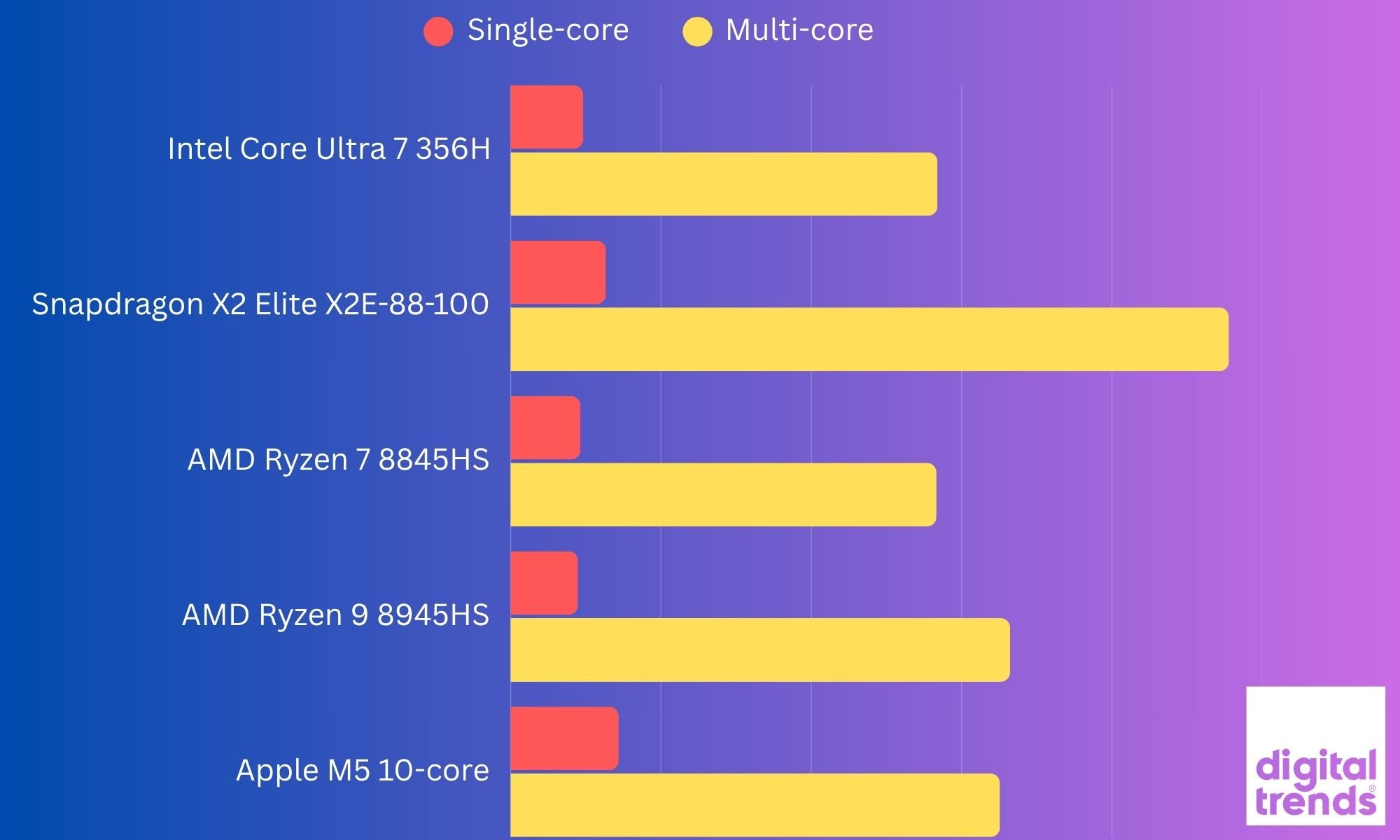
In my last benchmark testing, the OmniBook Ultra delivered a Geekbench 7 single-core score of 2,414 and a multi-core score of 14,196, which indicated solid CPU performance for a thin-and-light laptop. Its integrated graphics also managed a Geekbench 7 OpenCL score of 19,072, giving the laptop enough GPU muscle for everyday creative workloads and some lighter graphics-intensive tasks. However, the results did not translate to actual gaming performance, which we talked about above.
The interesting bit is that the 356H’s four-Xe3-core iGPU sits below older Core Ultra 7 155H and 255H/258V chips, which typically score around 2,959, 3,300, and 3,200+ respectively in Steel Nomad Light. Even Snapdragon X Elite systems can land around 2,200, although Snapdragon’s results vary considerably by laptop and driver.
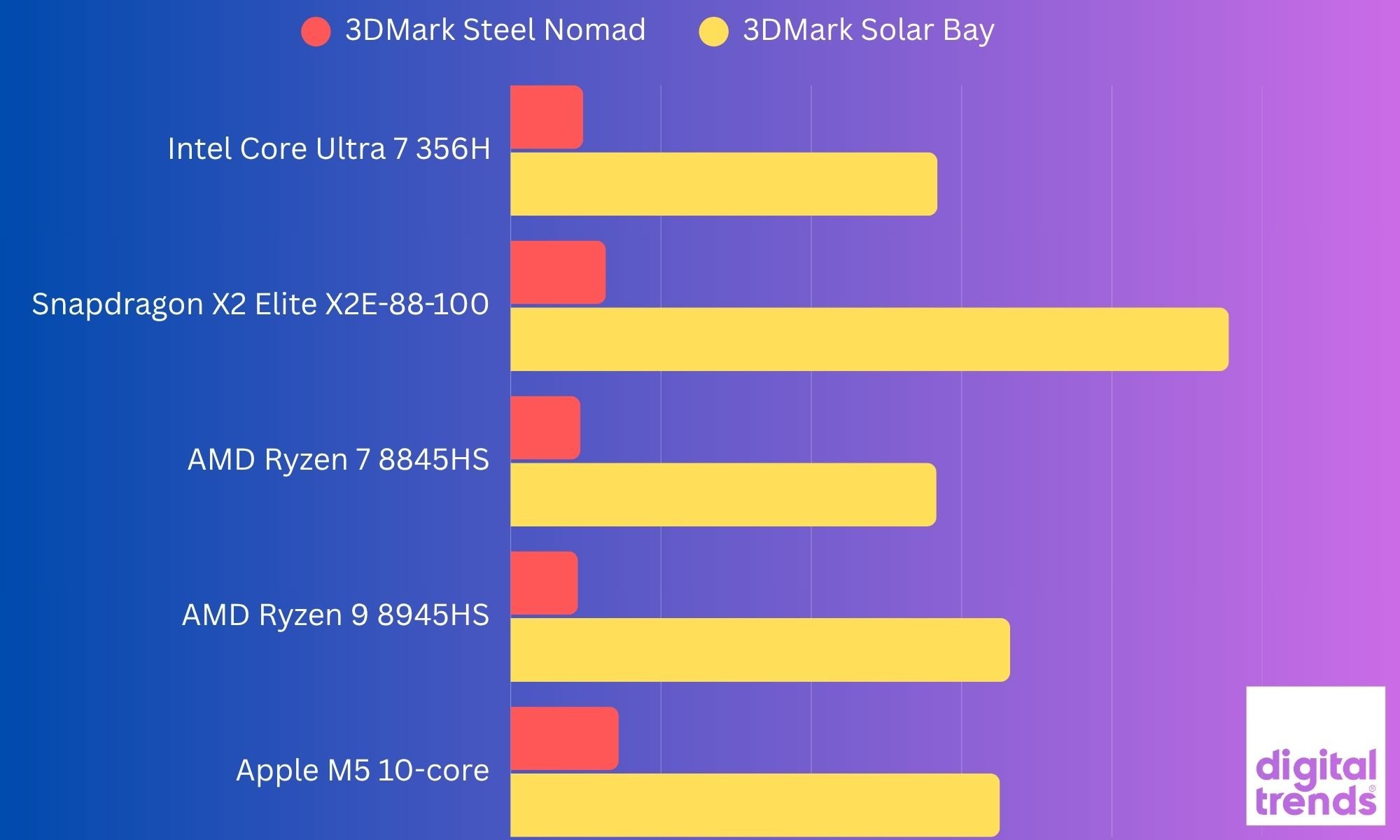
So, while the OmniBook Ultra’s CPU platform is newer, this particular 356H configuration isn’t the Panther Lake graphics monster. That distinction matters because Intel’s much faster Arc B390 GPU is reserved for higher-end Panther Lake chips such as the Core Ultra X9 388H.
Battery
Thin laptops often have an awkward relationship with battery life. They’re light enough to carry everywhere, but sometimes you need to carry the charger everywhere too.
The OmniBook Ultra tries to avoid that fate with a 70Wh battery. HP claims up to 20 hours and 45 minutes of battery life, depending on configuration and testing conditions, while video playback is rated at up to 30 hours and 15 minutes.
Those are obviously laboratory-style figures, so I wouldn’t expect my real-world usage to replicate them. What I do appreciate is the battery capacity relative to the size and weight of the laptop. A 70Wh battery in a 1.27kg machine is a pretty good combination.
For my regular work, the OmniBook Ultra feels like the kind of laptop I can take out for several hours without immediately starting to calculate battery percentages in my head. And that is perhaps the biggest compliment I can give a portable laptop. I don’t want to think about the battery. I want to use the laptop. When I do need to charge it, HP says the battery can reach approximately 50 percent in 45 minutes.
The included charger is another nice touch. HP supplies a 65W USB-C GaN adapter. Because it’s a GaN charger, the brick is relatively compact, and the detachable cable makes it easier to pack.
This sounds like a small thing until you travel regularly. A charger that occupies half the bag and weighs as much as the laptop is not exactly “ultra portable.” HP has avoided that problem here.
And because the laptop charges over USB-C, you’re not locked into carrying some giant proprietary brick. The battery story is therefore less about one spectacular number and more about the overall package.
Battery score: 8/10
Should you buy it?
The HP OmniBook Ultra is one of those laptops that becomes more impressive the longer I use it. It doesn’t rely on one gimmick. There’s no enormous screen, no ridiculous hinge, no detachable keyboard pretending to be a revolution. Instead, HP has taken the basic premium laptop formula and tried to make every part of it work together.
If your priority is portability, display quality and a premium Windows experience, the HP OmniBook Ultra makes a strong case. At just 1.27kg, it is remarkably easy to carry, while the 14-inch 3K OLED panel gives you the kind of sharpness, colour and contrast that makes everything from writing to watching Netflix feel better. The forged aluminium chassis also gives it a proper premium feel without turning it into a heavy machine.
And don’t forget the 120Hz OLED panel, 70Wh battery, and 1.27kg weight. However, this particular configuration is not a universal recommendation. The biggest compromise is the integrated Intel Graphics. My Core Ultra 7 356H scored 1,972 in Steel Nomad Light, and the benchmark results make it clear that this isn’t the graphics-heavy Panther Lake configuration. The higher-end Panther Lake chips with larger Arc graphics are in another performance class.
So while the 356H is perfectly comfortable with everyday productivity, multitasking, and AI-assisted workloads, I wouldn’t buy this particular version primarily for gaming or heavy GPU work. The other thing to consider is the 16GB onboard RAM. It is enough for normal productivity and my day-to-day usage, but there is no upgrading it later, so your memory requirements need to be considered before buying.
Yes, if you want a lightweight premium Windows laptop with an excellent OLED display, fast storage, plenty of USB-C connectivity, and enough performance for everyday work, content consumption, and moderate creative workloads.
No, if your priority is serious or even light AAA gaming, sustained GPU-heavy work, or having upgradeable memory. In that case, the higher-end OmniBook Ultra configurations or a laptop with discrete graphics make more sense.
In simple terms, the OmniBook Ultra 356H is a premium productivity laptop first and a performance machine second. The hardware is impressive, but this particular configuration doesn’t unlock the full graphics potential of the Panther Lake platform. But those are small cracks in an otherwise very polished package. For my particular Core Ultra 7 configuration, the OmniBook Ultra feels like HP has understood the assignment: give me a laptop that I can carry everywhere, work on all day, enjoy watching content on, occasionally throw some heavier workloads at, and not immediately start looking for the charger. That’s a pretty good assignment to get right.
Why not try
MacBook Air 15-inch with M5 is worth considering if you are comfortable moving to macOS. Its M5 chip gets a 10-core CPU and up to a 10-core GPU, while the 15.3-inch display offers 2880 × 1864 resolution and 500 nits brightness. It also remains fanless, making it an interesting alternative for people who prioritise quiet operation and efficiency.
Microsoft Surface Laptop 15-inch takes the Windows-on-ARM route with Snapdragon X2 Plus or X2 Elite processors. It has a 15-inch 120Hz touchscreen, up to 64GB of RAM, and Microsoft’s claimed battery life of up to 19 hours. It is a particularly relevant alternative if battery life and ARM efficiency matter more to you than broad x86 compatibility.
You could also look at the HP OmniBook Ultra configurations with the higher-end Panther Lake chips. The same laptop family is available with more powerful processors, including configurations with substantially stronger integrated graphics. That makes this an especially interesting alternative if you like the OmniBook’s design but want more graphics headroom.
The OmniBook Ultra therefore occupies an interesting middle ground. It gives you the premium build, OLED display, lightweight chassis, and connectivity without going down the gaming-laptop route. The catch is that the exact processor configuration matters a lot. The Core Ultra 7 356H model I tested is considerably different from the higher-end Panther Lake versions despite sharing the same OmniBook Ultra name.
How we tested it
I used the HP OmniBook Ultra as a real-world device rather than treating it like a benchmark box. My testing covered everyday work such as writing, web browsing, multitasking, streaming, and switching between multiple applications, along with more demanding workloads to see how the laptop behaved when pushed beyond basic productivity.
I also paid particular attention to the things that don’t always show up on a specification sheet. The OLED display was used across different lighting conditions, the keyboard and haptic touchpad were tested through extended writing sessions, and I spent time using the laptop on battery as well as while connected to power.
For performance, I ran a combination of storage and graphics benchmarks. CrystalDiskMark was used to test the 1TB PCIe Gen5 SSD, while 3DMark Steel Nomad, Steel Nomad Light, Solar Bay, and Solar Bay Extreme were used to examine the integrated Intel graphics. The results were then compared with published figures where directly comparable data was available.
The idea wasn’t to chase a single benchmark number. I wanted to see how the OmniBook Ultra behaves as an actual laptop: something I can carry around, work on for hours, watch content on, plug into peripherals, and occasionally push hard when the workload demands it. That combination of real-world use and benchmark testing is what shaped my overall impression of the machine.
FAQs (Frequently Asked Questions)
What really stands out about this laptop?
This is a 14-inch machine that weighs just 1.27kg, yet still manages to include a 16-core Intel Core Ultra 7 356H processor, 16GB of fast LPDDR5x memory, and a 1TB Gen5 SSD. The build quality is another highlight. The Silk Sand aluminium body looks premium without being obnoxious, and the thin profile makes this a genuinely portable laptop rather than a laptop that merely looks portable in product photos.
Is the display good?
You get a lovely OLED display on this one. It’s bright, sharp, colourful, fast, and touch-enabled. The 3K resolution and 120Hz refresh rate make it equally comfortable for spreadsheets, writing, browsing, and entertainment.
How is the connectivity situation?
It’s a mix. Three Thunderbolt 4 ports, Wi-Fi 7, and Bluetooth 6 give the machine a modern foundation, while the headphone jack is still there for anyone who hasn’t yet decided that wired audio is a crime.
What about the keyboard?
The keyboard is comfortable, the haptic touchpad is excellent, and the speakers are surprisingly capable. But it isn’t perfect. The keyboard backlighting needs work. The light-coloured keys and backlight don’t always play nicely together, and I occasionally found myself turning the backlight off because it was making the legends harder to read.
What are a few of its key downsides?
The limited port selection is understandable given the chassis, but anyone with a collection of USB-A accessories will probably need a hub. And while the 3K OLED display is excellent, the hinge could have offered a little more flexibility. The keyboard backlighting is an unnecessary annoyance, and the absence of a fingerprint reader is disappointing.
Who is this laptop for?
I’d say the OmniBook Ultra makes the most sense for someone who wants a premium Windows laptop without stepping into the heavier, bulkier category of performance machines. It’s for the person who writes, edits, browses, works with large numbers of tabs, attends video calls, watches a lot of content, and occasionally wants to push the machine harder.
It’s also a particularly interesting option for someone who wants strong processor performance without giving up portability. And I think that balance is what makes the OmniBook Ultra work. And I can say it’s considerably harder to build a laptop that feels like a thin laptop while behaving like a powerful one. The OmniBook Ultra gets remarkably close.
The best thing I can say about it is that I don’t spend much time thinking about the hardware while using it. I just open the lid and get on with whatever I’m doing. That’s exactly what I want from a premium laptop.
There are laptops that impress you when you read their specifications. Then some laptops impress you when you actually live with them. The HP OmniBook Ultra belongs much more to the second category. It is thin without feeling fragile, powerful without feeling unnecessarily bulky, and premium without turning the entire experience into a fashion statement.