This post is brought to you in paid partnership with LALAL.AI.
A song can be finished long before you’re finished with it. A vocal remover can pull the singer out when you’re learning the drums, while stem separation can reveal a guitar part buried somewhere in the mix. An old interview could contain useful dialogue beneath room noise, while a video might have perfectly good speech trapped underneath its soundtrack.
LALAL.AI is built around opening up those finished recordings again. Its AI Vocal Remover can separate vocals from an existing track, while its broader toolkit can split instruments into individual stems, clean up background noise and echo, and separate lead and backing vocals.it
The interesting shift isn’t simply that AI can remove a singer. A recording that once had to be treated as a finished object can increasingly become raw material again.
An AI vocal remover is only the beginning
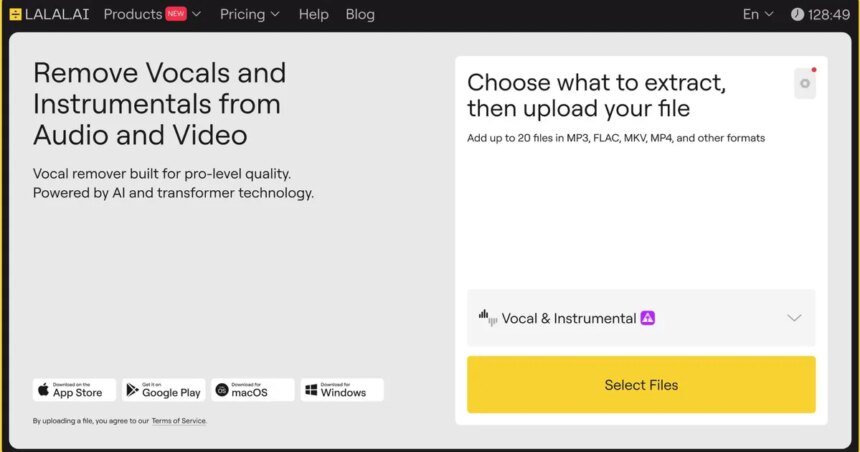
Removing vocals is the easiest use case to understand. Someone wants a karaoke track, a singer needs an instrumental for rehearsal, or a musician wants to play along without competing with the original performer. LALAL.AI turns that into a simple workflow: upload a song or video, choose Vocal & Instrumental, and let the service separate the two.
The useful part is that you can preview the result before committing to a full split, so you can hear whether the separation works well enough for what you need. You don’t need to register or add a credit card just to preview the result, which makes it easy to test a track before deciding whether to take it further.
How to extract vocals and instrumental tracks
1. Open LALAL.AI and upload your song or video.

2. Choose Vocal & Instrumental from the available stem options.

3. Preview the separated tracks to check the vocals and instrumental.

4. Click “Split in Full” to process the whole track and download your stems. Previews are free; full-length downloads are available with a LALAL.AI plan.

Musicians rarely want less of a song, though. They want access to the part they are trying to hear. A drummer may need the percussion without the rest of the arrangement. A producer might want the bass line before building a remix around it. Someone learning guitar could reduce the rest of the band and concentrate on a single part.
LALAL.AI’s Stem Splitter is designed for that broader use. Depending on the source, it can separate up to 10 stem types, including vocals, drums, bass, piano, acoustic and electric guitar, synthesizer, strings, and wind instruments. Lead and backing vocals can also be separated. A finished track can suddenly become several working pieces that can be studied, edited, practiced with, remixed, or reused independently of the original mix.
Some of the best uses begin with recordings nobody planned to edit

The studio is only one place where useful audio can get buried inside a finished recording. A video editor might inherit footage where dialogue, music and ambience were recorded together. A podcaster may need to remove copyrighted music from an old episode without reworking the entire recording. Dubbing studios can preserve the original ambience while separating dialogue from other elements, while mastering engineers can rebalance older mixes when the original stems are no longer available. Even old cassette recordings can contain useful material hidden behind crosstalk, room noise or other unwanted sounds.

LALAL.AI is useful precisely because these recordings rarely arrive in perfect conditions. Voice Cleaner can reduce unwanted background sounds, while Echo & Reverb Remover helps tame the room around a recording. Lead & Back Vocal Splitter can separate a lead performance from backing vocals and harmonies, giving editors, producers and other audio professionals more ways to work with material they might otherwise have to accept as-is.
Perfect restoration isn’t always the objective. An old interview doesn’t need to sound like it was recorded yesterday to become useful again. A live performance can keep some of its atmosphere while giving a musician a cleaner vocal or instrumental track. A video editor may only need enough separation to make a buried line of dialogue usable.
The appeal is less about making every recording flawless and more about giving people choices they didn’t have when the recording was created. A final export may look like the end of the workflow, yet it can still contain dialogue, vocals, instruments and ambience that can be pulled apart and put to work again.
Good audio tools make the complicated part disappear
Professional audio software has never been short of controls. The harder part has always been knowing which controls to use, in what order, and how much processing a recording can actually take.
LALAL.AI moves much of that complexity out of the user’s way. Upload a file, choose what needs to be separated or cleaned up, preview the result, and decide whether the result works for their needs. Someone experimenting with a remix can get to the stems without first learning a full digital audio workstation, while an editor working on dialogue can test a cleanup without rebuilding the entire audio track.

The preview stage is particularly useful because audio separation still has limits. Heavy reverb, distortion, compression or overlapping sounds can make individual elements harder to isolate. Hearing the processed result before paying for the full split gives users a practical sense of what the recording can support.
LALAL.AI’s proprietary neural networks have been developed in-house since 2020, with Andromeda as its current flagship model. The technology allows the platform to expand beyond vocal removal into stem separation, noise reduction, echo removal and voice processing. The technical work stays largely in the background, letting users concentrate on the recording in front of them and decide what they want to do with it.
The same recording can serve more than one purpose
Audio work also doesn’t happen in one place anymore. A singer might start in a browser, a producer may take the resulting stems into a DAW, and a video editor may need the same kind of separation while working on footage. LALAL.AI supports those different workflows across the web, Windows, macOS, iOS and Android, as well as through its VST plugin and API. Someone practicing drums, a DJ preparing a mashup, a producer building a remix and an editor cleaning an interview can all approach the platform with very different needs.
A simple vocal-removal job may take only a few minutes. More involved work can begin from the same starting point and move into a professional production environment. The distinction matters because useful audio tools don’t have to force every user into the same workflow. Someone practicing drums, someone preparing a remix and someone cleaning an interview can all approach the platform from very different needs.
The platform also goes beyond separating existing recordings. Its Voice Changer can transform a voice for creative work, while Voice Cloner can create a digital voice model from recordings. Both are designed around ethically trained voice technology, giving creators another way to work with vocals without treating voice processing as a separate ecosystem.

Vocal removal is perhaps the easiest way to see the appeal. Pulling a singer out of a finished song is immediately tangible. The more interesting possibility comes afterward: separating instruments for practice, recovering dialogue from mixed footage, cleaning an old recording, or giving a producer access to parts of a track that were never delivered separately.
LALAL.AI turns those possibilities into a single workflow instead of making users hunt for a different tool every time the audio problem changes. The result isn’t simply a cleaner track or an instrumental version of a song. It is a little more control over recordings that were once treated as fixed.
For anyone who has ever wished they could go back inside a finished song, interview, performance or video and change one thing, LALAL.AI is worth exploring. Start with the Vocal Remover, preview what it can pull from a track, and see how much more useful an old recording can become once its separate parts are accessible again.
This content is paid for by the brands indicated. Digital Trends works closely with advertisers to highlight their products and services to our readers. Although this article is informational and not opinionated, it reflects thorough fact-checking by our team to ensure accuracy. Our dedicated partnerships team, not external advertisers, crafts all branded content in-house. For more information on our approach to branded content, click here.